
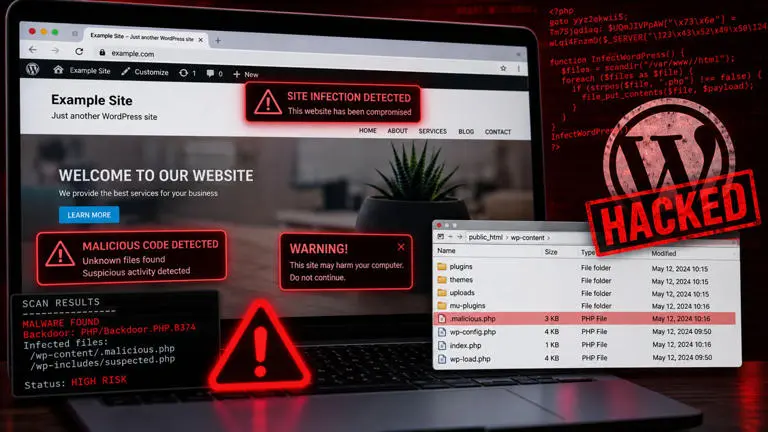
How GraySquare Solutions Detected and Recovered a WordPress Malware Infection Before It Took the Website Offline
A real-world WordPress security incident and recovery case study
A WordPress website can appear perfectly normal to its visitors while malicious code is quietly working in the background.
That is exactly what happened during a recent security incident involving one of the websites managed by us.
The incident involved malicious PHP code being repeatedly injected into the website's index.php file. Thanks to our website monitoring and alerting system, the abnormal file change was detected quickly, allowing the issue to be investigated, the infection removed, and the website brought back online.
The Warning Sign: A WordPress Core File Changed
The first indication of trouble wasn't a customer reporting that the website was down. It was an automated alert. Our monitoring system detected an unexpected change to a critical WordPress file. The site's index.php had been modified.
This is significant because the WordPress root index.php file is normally extremely small and straightforward. It serves as the entry point that loads WordPress.
Instead, the file contained heavily obfuscated PHP code using techniques such as:
- Randomly generated function and variable names
- PHP
gotostatements - Hexadecimal-encoded strings
- Obfuscated references to server variables
- Code designed to make the underlying behavior difficult to understand
This type of obfuscation is a common characteristic of malicious PHP code.
WordPress itself identifies modified core files such as index.php, header.php, footer.php, and functions.php as important indicators to investigate during a compromise.
Why the Malware Was More Serious Than a Modified File
At first glance, replacing the infected index.php with a clean copy might appear to solve the problem. But that isn't necessarily enough. During the investigation, the important question became:
What is putting the malicious code back?
The infected file was not simply a one-time modification. The behavior indicated that something else on the server was capable of rewriting the file. This is one of the more challenging aspects of WordPress malware infections. An attacker may leave behind a secondary backdoor, malicious plugin, compromised theme file, scheduled task, modified configuration file, or another persistence mechanism.
In other words, deleting the visible malware doesn't necessarily remove the infection.
There are documented cases of WordPress sites where index.php and other files were repeatedly regenerated after being cleaned.
Our Response
Once the alert was received, we treated the event as a security incident rather than simply replacing the damaged file.
The recovery process involved several stages.
1. Identify the affected files
The first step was to determine exactly what had changed and whether the infection was isolated to index.php or had affected additional WordPress files.
File timestamps, WordPress core files, plugins, themes, configuration files, and other PHP files were examined for suspicious modifications.
2. Examine the malicious code
The injected PHP was heavily obfuscated.
Obfuscation is often used by attackers to make malicious code more difficult to identify through casual inspection.
Rather than trying to interpret every piece of the obfuscated code, the investigation focused on its behavior and, more importantly, on identifying how it was being introduced into the website.
3. Look for persistence
This was one of the most important parts of the investigation.
The objective wasn't simply:
"How do we fix
index.php?"
It was:
"What is capable of writing to
index.php?"
We investigated the surrounding WordPress installation and server environment for additional malicious code and persistence mechanisms.
This included looking for suspicious PHP files, modified WordPress components, must-use plugins, scheduled tasks, configuration changes, and other mechanisms that could allow the infection to return.
4. Restore clean WordPress files
Once the malicious code and its persistence mechanism were addressed, compromised WordPress core files were replaced with clean versions.
This is an important distinction.
Simply editing a compromised WordPress core file isn't the preferred recovery approach. WordPress recommends replacing affected core files with clean copies and carefully examining wp-content, themes, plugins, and configuration files during remediation.
5. Secure the installation
Cleaning the visible malware is only part of the job.
Following a compromise, access credentials should also be reviewed and, where appropriate, changed.
That can include:
- WordPress administrator passwords
- Hosting control panel credentials
- SFTP/FTP credentials
- Database credentials
- Other accounts with access to the website
WordPress specifically recommends resetting access after a compromise and changing passwords again after the site has been cleaned.
6. Verify the website
After remediation, the website was tested to make sure that:
- The homepage loaded correctly
- Internal pages were functioning
- WordPress was loading normally
- The malicious code was no longer present
- The infected file was no longer being rewritten
- The website could be accessed normally by visitors
The website was successfully brought back online.
Why Automated Alerts Matter
This incident highlights an important difference between website monitoring and simply having a website backup. A backup can help you recover a website after something goes wrong. But a monitoring system can tell you that something is going wrong in the first place. In this case, the alert drew attention to a change in a critical file before the incident necessarily became an obvious problem for the website's visitors.
That early warning gave us the opportunity to investigate and respond. WordPress's own security documentation recommends file integrity monitoring as part of a broader security strategy and specifically discusses monitoring executable files such as PHP files for unexpected changes.
Why WordPress Websites Need Ongoing Monitoring
WordPress itself is not inherently unsafe. It is one of the most widely used website platforms in the world.
However, a WordPress website is made up of multiple components:
- WordPress core
- Plugins
- Themes
- PHP
- Web server configuration
- Database
- Hosting environment
- Administrator accounts
- Third-party integrations
A vulnerability or compromised credential anywhere in that chain can potentially provide an attacker with an opportunity to modify website files.
WordPress recommends keeping WordPress, themes, plugins, and the underlying PHP environment up to date. Its documentation also notes that outdated software can increase security risk.
The Takeaway for Business Owners
One of the biggest lessons from this incident is simple:
A website can be compromised without immediately looking hacked.
There doesn't have to be a giant "YOUR WEBSITE HAS BEEN HACKED" message on the homepage. Malware can sit quietly inside a PHP file, wait for a particular request, redirect selected visitors, create unauthorized access, or periodically reinfect other files. That is why website security should not depend entirely on someone noticing that a website looks strange. Automated monitoring, regular backups, software updates, access control, and timely incident response all play an important role.
How we Protect Managed Websites
At GraySquare Solutions, website management isn't limited to keeping a website online. Our managed website services are designed to provide ongoing maintenance and monitoring so that unusual activity can be identified before it becomes a larger problem.
Depending on the hosting and management configuration, this can include:
- Website monitoring
- File-change monitoring
- Security monitoring
- WordPress updates
- Backups
- SSL management
- Server monitoring
- Malware investigation
- Website recovery
- Performance monitoring
The goal is simple:
Keep your website running, watch for problems, and respond quickly when something isn't right.
From Alert to Recovery
In this particular incident, the sequence was straightforward:
Automated alert → Investigation → Malware identification → Persistence investigation → Cleanup → Security remediation → Testing → Website restored
The website was brought back online without waiting for a customer to discover the problem. That's the value of having someone actively watching over a business website.
A website isn't a "set it and forget it" asset. It needs maintenance, monitoring, security updates, backups, and someone who knows what to do when something goes wrong.
Is Your WordPress Website Being Monitored?
If your business relies on its website to generate leads, provide information to customers, or support your day-to-day operations, a basic hosting account may not be enough.
GraySquare Solutions Inc. provides managed website and WordPress hosting services for businesses that want someone watching the technical side of their website.
If something changes that shouldn't, we'd rather know about it before your customers do.